Design
AI in UI Design Without the Purple Slop
 5minutes read
A practical workflow for using AI design tools to move faster while keeping tokens, elevation, and accessibility consistent - plus why “AI slop” keeps defaulting to purple glows and shadow-heavy cards.




The first version looked good enough to survive a demo. The team moved on, tickets closed, and everyone felt that small relief that comes when a difficult week finally releases its grip. Then a routine change request arrived, the kind that should take an hour, and the screen started unraveling under normal pressure.
A button hierarchy shifted and spacing drifted. A new empty state needed room and the layout resisted. One component needed calmer color and suddenly a second accent sneaked in because the first one no longer held together. By the time the patch was done, the file still looked polished, yet nobody could explain why the choices worked or how to repeat them. That is the practical face of "AI slop" in design.
Overview
This article is about ai in ui design as production work, where speed matters and revisions are guaranteed. The short conclusion is simple: AI helps when constraints are explicit and enforced, and it hurts when those constraints stay implicit, because default aesthetics and missing state logic spread faster than teams expect.
If you already run with usable tokens and a component baseline, generators can compress exploration and reduce repetitive drafting. If those constraints are still fuzzy, the fastest path is to define them first, because the model will gladly fill gaps with familiar defaults, and that is how different products begin to resemble the same purple-glow demo reel.
What is “AI slop” in UI design (and how to recognize it)?
In day-to-day work, "AI slop" means the design has no owner at the system level. The screen can still feel smooth in a static view, and ai slop in design often hides exactly there, because static polish masks the fact that rules are missing beneath the surface.
You notice the gap when normal product entropy starts doing its job. Requirements shift, content stretches, states multiply, and the design has no stable grammar to absorb change.
A quick diagnostic catches most cases:
- Accent choices feel borrowed from generic demo aesthetics, usually the same purple and blue glow combinations.
- Depth cues behave like decoration because each component uses a different shadow recipe.
- Critical states such as focus, disabled, error, empty, or loading are absent or improvised late.
- Copy fits the frame shape, yet misses the user job the screen is supposed to support.
Pattern similarity across products is expected, because good interface ideas spread quickly. Slop begins when generated output goes live before it becomes a coherent system that someone can defend and maintain.
Why does AI-generated UI keep converging on purple glows and shadow-heavy cards?
The short answer is statistical confidence under vague direction. When prompts ask for "modern" or "clean" without operational constraints, the generator reaches for high-frequency patterns associated with polished product screenshots, which is why teams keep saying "ai-generated ui looks the same."
Purple-heavy accents persist for practical reasons too. On dark surfaces, cool saturated hues often hold legibility better than many warm alternatives at similar intensity, so they become a reliable fallback whenever brand tone and contrast policy are underspecified. The issue starts when fallback becomes identity and nobody pauses to ask whether that palette actually belongs to the product.
Shadow-heavy output follows the same logic. In a real interface system, depth is compact, named, and repeatable. In unconstrained generation, shadows become visual texture, blur and opacity drift by component, and hierarchy starts feeling loud in reviews even when no single element looks obviously broken.
That is the decision point for teams doing ai in ui design seriously: replace taste-only prompts with design tokens, spacing rules, type constraints, and a documented elevation system before the next batch of screens is generated.
The shadow system problem: when elevation stops being a language
When depth cues drift, users stop reading hierarchy instinctively and start re-checking every surface on the screen, and design reviews get noisy for the same reason. A modal should feel nearer than a card, a dropdown should feel nearer than the page surface, and that relationship should stay stable no matter who edited the file yesterday.
You can usually feel this failure before you can name it.
The recovery is smaller than teams expect. Most product interfaces need only a compact shadow system with three to five named levels. The important part is discipline: 1. define only the elevation levels you actually need 2. map those levels to shared tokens in design and code 3. normalize every generated screen before handoff
Once that baseline exists, debates get shorter and clearer. People stop arguing from taste and start checking the same scale, and that frees attention for the next decision: where AI can explore widely and where it must stay inside strict guardrails.
A designer’s workflow that makes AI useful (and keeps slop out of production)
Teams that get real value from ai in ui design treat generation as the beginning of design work, not the finish line. The speed gain comes from exploring quickly while holding acceptance criteria steady, so each revision lands inside a system instead of creating another one-off exception.
Constrain the generator first
Treat the prompt like a brief with testable inputs. Include palette tokens, type scale, spacing logic, elevation rules, and one reference screen that already feels like your product, because the model can only respect boundaries you actually provide.
If those boundaries do not exist, keep output in ideation mode.
Generate fast, then choose direction early
Generate several variants for one screen, then commit early to the direction with the clearest hierarchy and interaction intent under real content. Prompting forever feels productive for a day and expensive for the next month, because small drift compounds into cleanup work that nobody planned.
A useful trigger keeps this honest: after two generate-revise loops on the same screen, variants should visibly converge toward your constraints. If they do not converge, tighten the brief first and only then generate again.
Normalize the draft into your system
This is where fast drafts become shippable product quality. Replace ad hoc colors with design tokens, remap shadows to the approved scale, realign spacing to your rhythm, and turn one-off layers into maintainable component variants.
If token mapping hurts across core components, the bottleneck is system clarity.
Use one clear gate: sample ten components and verify mapping for color, typography, spacing, radius, and elevation. If fewer than eight map cleanly, pause rollout and repair the baseline before you scale.
Run measurable accessibility gates
Accessibility works best as an early filter. Contrast checks catch risk quickly, and WCAG gives stable policy thresholds: many teams use 4.5:1 for normal text and 3:1 for large text, as documented in WCAG contrast (minimum) .
Sample the five most common text styles across light and dark contexts. If one fails, block handoff and fix it before the issue spreads through shared components.
Check interaction intent, then hand off
Static beauty can hide missing behavior.
Before implementation, verify that core interactive components have coherent hover, focus, disabled, error, and relevant loading or empty states. Keep the release trigger explicit: if a core component lacks focus or disabled logic, keep the screen in draft status and finish state coverage first.
Tools: where Lovable and Figma Make actually fit
Tool choice matters, but workflow placement matters more. Features change fast, so verify current capability in official docs and evaluate each tool by one criterion: does it improve decision quality under your real constraints.
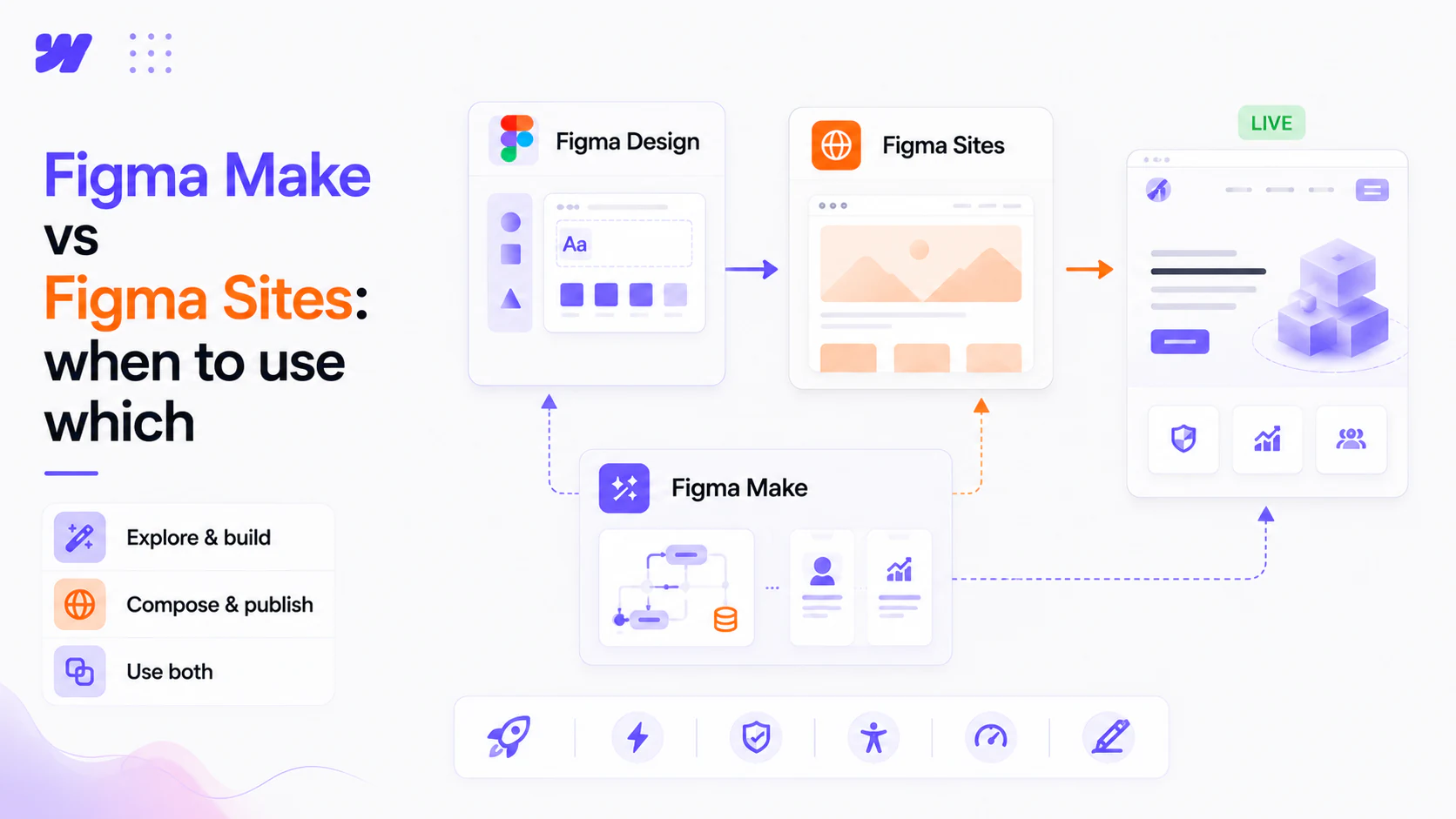
Figma Make
Figma Make is strongest when teams already manage constraints inside Figma and want fast prompt-to-app iteration without losing review context. It works particularly well for early flow shaping, content stress tests, and fast directional experiments that will later be normalized to system rules.
Its failure mode appears when generated speed outruns governance. Colors drift, spacing drifts, shadows drift, and polished output creates confidence before edge cases and states are validated.
Lovable
Lovable docs position Lovable as an AI product-building environment, and it can dramatically shorten the path to first-testable prototype when designers and developers are paired on one specific user story. That fast loop is valuable for learning, especially in uncertain problem spaces where concrete user feedback matters more than internal debate.
The main risk is style fragmentation across successive generations. If each screen establishes fresh local rules, teams inherit brittle component logic and expensive refactors.
The safer pattern stays consistent across both tools: generate quickly, normalize into shared constraints, then scale. When constraint ownership is clear, speed compounds. When ownership is blurry, ai slop looks inevitable even though the root cause is process.
If you “don’t know what you want”, AI will guess - here’s how to stop guessing
Many teams begin with the phrase "we will know it when we see it," and that phrase usually signals hidden ambiguity rather than healthy exploration. The fix is to externalize taste into a short brief structure that generation can follow and review can validate.
For one screen, keep five required fields: 1. User job and success state in one sentence. 2. Screen inventory listing required components and actions. 3. Token constraints for palette, type, spacing, and elevation. 4. Required interaction states per interactive component. 5. One reference screen or component capturing brand tone.
Each field removes a different failure path, which is why this brief works under deadline pressure. User job keeps output tied to task completion, inventory prevents missing building blocks, constraint fields prevent visual drift, state requirements protect behavior quality, and references keep tone consistent across iterations.
Use one hard trigger before scaling generation: if the team cannot produce inventory plus state requirements with confidence, the work is still under-specified and additional generation will mostly manufacture cleanup debt.
The slop audit: a 15-minute checklist before handoff
You do not need perfect agreement on terminology to reduce risk. You need fast gates that define what "ready" means, how long to observe, and what action follows a failed check. When interfaces trigger real business actions or connect to automated workflows, pairing a disciplined design system with production AI agent development keeps both the interface and the underlying logic dependable.
News & Insights
Start here
Bring us the agent that keeps braking
Tell us which workflow eats time, creates errors, or keeps landing back in a human review queue. We map the data, tools, risks, and escalation path before recommending anything.
Tell us the workflow that eats your time. We'll map it, show you a range, and say if automation is even worth it.