Software Development
Cursor vs Claude Code vs GitHub Copilot: an evaluation for engineering teams
 4minutes read
No single tool wins for everyone in 2026, and most senior teams run two. GitHub Copilot is the enterprise default: broadest IDE support, lowest per-seat price, deepest GitHub integration, and the strongest compliance and procurement story. Cursor is the deepest AI-native editing experience, a full IDE built around multi-file agentic edits. Claude Code is the most capable autonomous agent for hard, long-context work in the terminal. The common enterprise pattern: Copilot as the org-wide baseline, plus Claude Code or Cursor for senior engineers on high-leverage tasks.




For an engineering team choosing between Cursor, Claude Code, and GitHub Copilot in 2026, the honest answer is that they are not three versions of one product, they are three different philosophies of how AI should sit in a developer's workflow, and the right choice depends on where your team lives, what your security requirements are, and how much autonomy you want to hand the AI. Copilot is the broad, compliant, low-friction baseline. Cursor is the deep AI-native IDE. Claude Code is the autonomous terminal agent for the hardest work. Most senior teams do not pick one; they run a baseline plus a specialist. This is the evaluation by what actually differentiates them for a team.
We ship production code with these tools daily, so this is a practical read on where each one fits, not a benchmark table.
The three philosophies, plainly
The tools diverge because they answer a different question about where AI belongs. Copilot layers AI onto your existing editor as an assistant, keeping the developer in the driver's seat for every edit. Cursor rebuilds the editor around AI, so multi-file agentic editing is the native experience rather than a bolted-on panel. Claude Code puts the AI in the terminal as an autonomous agent that reads the codebase, writes code, runs tests, sees errors, and keeps going until the task is done.
None of these is universally better. Copilot rewards existing GitHub investment, Cursor rewards developers who want a visual-diff agentic workflow, and Claude Code rewards terminal fluency and hard problems. The mistake is evaluating them as if one has to win. They win different jobs.
GitHub Copilot: the enterprise baseline
Copilot is the safest, least disruptive way to put AI in front of a whole engineering org. It runs as an extension across VS Code, JetBrains, and Neovim, so nothing about the existing setup changes, it is the lowest-friction rollout of the three, and it is the cheapest per seat at team scale. Its GitHub integration is unmatched: issue-to-PR flows, native line-by-line PR review, code search across the org, and CI/CD-triggered agent work, none of which the others do natively.
The decisive factor for large teams is procurement. Copilot has the security certifications, audit logging, centralized billing, org policies, and IP indemnity that enterprise review demands, and at a company with a real security process it is often the only tool that can actually get approved. Choose Copilot as the org-wide baseline when compliance, GitHub integration, and a frictionless rollout across many engineers matter more than having the single most capable agent.
Cursor: the deepest AI-native editing experience
Cursor is a full IDE, a VS Code fork with AI built into every workflow rather than added as a panel. Its strength is interactive, multi-file agentic editing where you see and approve each change: a single prompt produces coordinated edits across several files, its codebase indexing answers "where is X defined" without scrolling, and its autocomplete is genuinely strong. For a developer who wants maximum AI capability while keeping a human hand on every diff, it is the best experience of the three.
The trade-offs are cost and procurement maturity. Cursor sits at a premium per-seat price, and its enterprise posture, while it offers business plans with centralized management and a privacy mode, is less mature than Copilot's, so it can be harder to push through a strict security review. Choose Cursor for senior individual contributors doing active product development who want the deepest in-editor agentic workflow and can clear it with procurement.
Claude Code: the autonomous agent for hard problems
Claude Code is a terminal-native agent, and it is what serious engineers reach for when the problem is genuinely hard: large refactors, architecture changes, security audits, debugging subtle cross-file issues. It runs from the command line alongside whatever editor you use, handles very long context for large codebases, and operates autonomously, planning, executing, running tests, and fixing its own errors, which is a different mode of work than inline completion.
Two caveats shape where it fits. The terminal interface is a real cost for frontend and visual iteration, where seeing changes matters, and it rewards developers comfortable driving from the command line. But for the high-leverage 20% of work that requires deep reasoning over a big codebase, it is the strongest of the three. Choose Claude Code for senior engineers tackling complex, multi-file, long-context tasks, typically as a specialist tool rather than the whole team's daily driver.
Why most teams run two
The pattern that keeps emerging in 2026 is that senior teams do not standardize on one tool, they layer. Survey data has experienced developers using more than two AI tools on average, and the dominant enterprise stack is Copilot deployed broadly as the autocomplete baseline plus Claude Code adopted by senior engineers for high-leverage agentic work. The other common stack is Cursor for daily editing plus Claude Code for the hard tasks.
The logic is that the tools are not competing for the same job. One covers the 80% of routine editing that keeps everyone productive; the other covers the 20% of complex work where deep reasoning earns real leverage. Teams that route deliberately, a baseline tool for breadth and a specialist for depth, tend to get more out of AI than teams forcing one tool to do everything or, worse, running several overlapping tools with no clear roles.
How to actually choose
The decision comes down to a few concrete questions:
- Are you rolling out across a whole org with a real security review? Copilot, for compliance, IP indemnity, and low-friction rollout.
- Are you equipping senior ICs who want the deepest in-editor agentic workflow? Cursor, if you can clear the per-seat cost and procurement.
- Do your engineers work on large codebases and hard, multi-file problems from the terminal? Claude Code, for autonomous depth and long context.
- Do you want the highest ceiling? A baseline (Copilot or Cursor) plus Claude Code for the complex 20%, which is the stack most senior teams converge on.
And whichever you pick, run a trial on your actual codebase before standardizing, because these tools update constantly and the right fit depends on your stack more than any benchmark.
The verdict
There is no single winner, because Cursor, Claude Code, and Copilot are built for different jobs: Copilot for compliant org-wide breadth, Cursor for deep in-editor agentic editing, Claude Code for autonomous work on hard problems. Match the tool to your team's structure, security requirements, and where your engineers work, and expect to run two, a baseline for everyone and a specialist for the senior work that moves the needle.
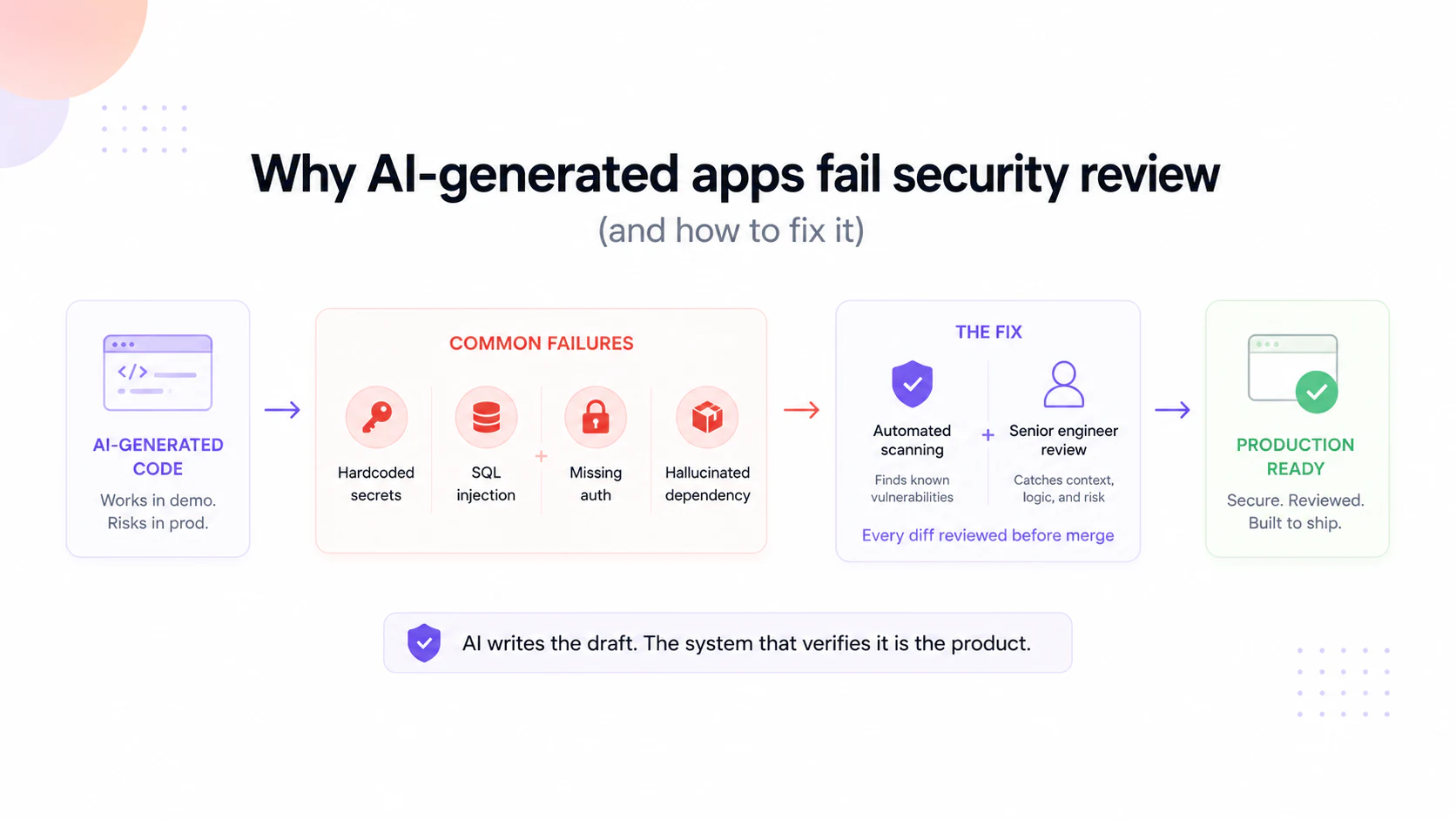
One thing worth naming: these tools make individual developers faster, but faster generation is not the same as production-ready code. The output still needs the architecture rules, verification, and review that turn a fast draft into something you can ship, which is the system we wrote about in inside MCAF . If you want a senior team that pairs these tools with that discipline, that is where our AI Dev Team work starts.
FAQ
Which is best, Cursor, Claude Code, or GitHub Copilot? None wins for everyone. Copilot is the best enterprise baseline (compliance, GitHub integration, low cost per seat), Cursor is the deepest AI-native IDE, and Claude Code is the most capable autonomous agent for hard, long-context work. Most senior teams run two.
What is the difference between Cursor and Claude Code? Cursor is a full IDE built around AI-assisted, multi-file editing where you approve each change. Claude Code is a terminal-native autonomous agent that plans, writes, tests, and fixes code on its own, better suited to large refactors and complex codebase work.
Which AI coding tool is best for enterprise? GitHub Copilot is usually the enterprise default because of its security certifications, IP indemnity, audit logging, centralized management, and deep GitHub integration, which are often what a strict security review requires.
Should a team use more than one AI coding tool? Often yes. The common 2026 pattern is a broad baseline (Copilot or Cursor) for routine editing plus Claude Code for the complex 20% of work, because the tools are strong at different jobs and layering them raises the ceiling.
Do these tools produce production-ready code? They speed up generation, but the output still needs architecture rules, verification, and human review before it ships. Faster code generation is not the same as reliable production code.
Keep reading

Start here
Bring us the agent that keeps braking
Tell us which workflow eats time, creates errors, or keeps landing back in a human review queue. We map the data, tools, risks, and escalation path before recommending anything.
Tell us the workflow that eats your time. We'll map it, show you a range, and say if automation is even worth it.